Submitting privacy requests
Data subjects have several rights when it comes to the protection and processing of their personal data. These rights may vary depending on the specific data protection regulations applicable in a given jurisdiction, such as the European Union's General Data Protection Regulation (GDPR). But, here are some commonly recognized rights:
- Right to Access: The user has the right to access the personal data that was collected and processed about them, and understand what purposes it was used for.
- Right to Erasure: The user has the right to have all personal data deleted across the entire organization.
- Right to Rectification: The user has the right to correct personal information that the user believes to be incorrect about them.
- Right to Portability: The user has the right to obtain a machine-readable copy of their personal data such that it might be imported to another system.
To exercise these rights, data subjects typically submit a privacy request.
Ease of access
Many privacy regulations require businesses to provide a minimum of two easy-to-find methods for making privacy requests. The most common methods include:
- Form: A publicly available form on your website or application, where a user may submit their privacy request.
- Email: A publicly available email address, where a user may submit their privacy request.
- Phone: A publicly available phone number, where a user may contact you to submit their privacy request.
Subject identity verification
When a privacy request is received, your organization is responsible for confirming the identity of the subject to ensure that you do not incorrectly disclose data.
To verify an identity, you may only request information that you already have concerning a data subject. For example, you can't request a copy of a subject's drivers license if you don't already have this information.
Ethyca recommends enabling identity verification for data subject requests. Fides verifies identities by sending a one-time passcode (OTP) to the data subject to verify that the request comes from the owner of the identity (email or phone number). To learn more, please see our guide for configuring subject identity verification.
Authorized agents
In some locations, a data subject may appoint a third party, typically known as an authorized agent, to submit privacy requests on their behalf.
If you receive a privacy request from an agent, you must honor it provided you are satisfied that the authorized agent has been appointed by the subject.
The Privacy Center
Fides provides an out-of-the-box Privacy Center for your subjects to submit privacy requests. Typically, your Privacy Center is configured to be available on a subdomain of your brand website, such as: https://privacy.your-brand.com.
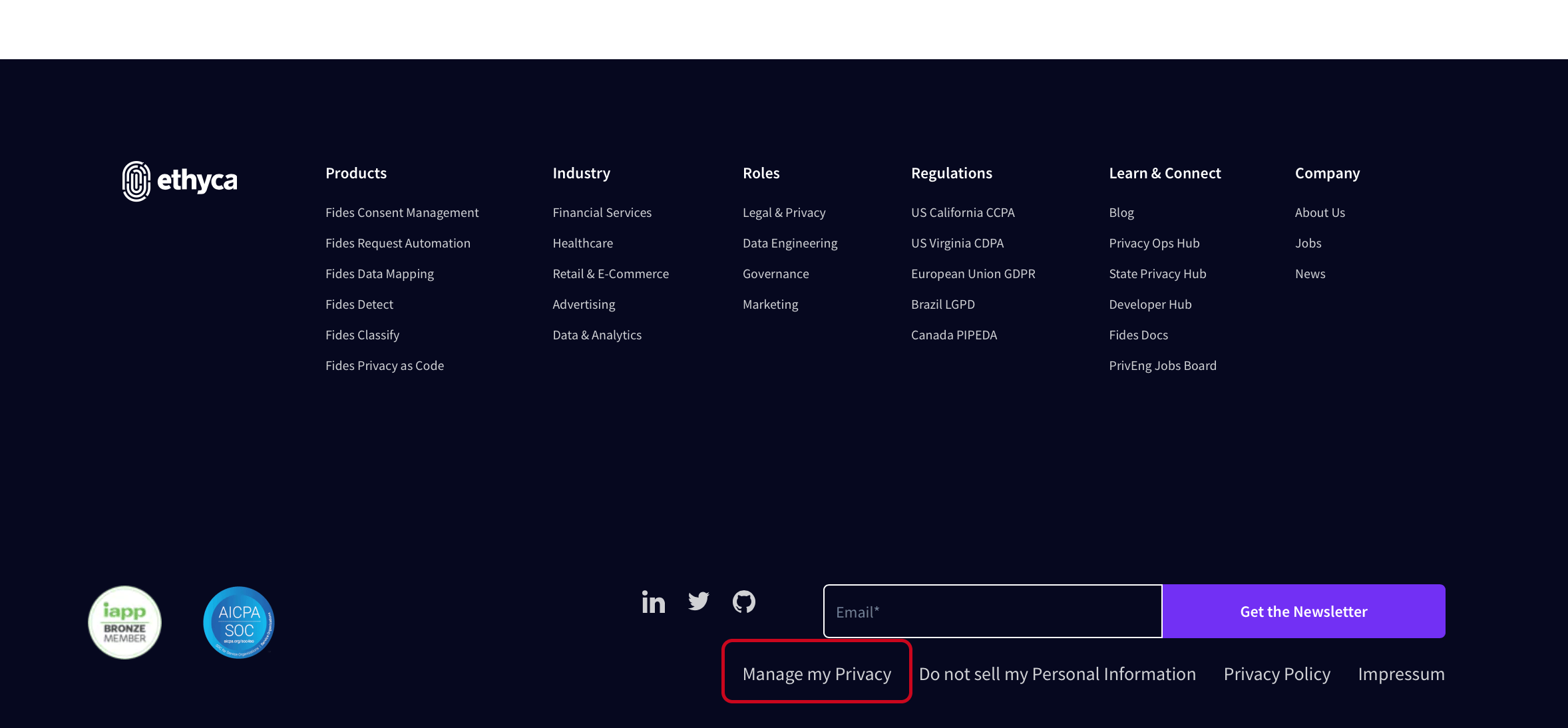
The privacy center is usually accessed by clicking a link in the footer of your site or in your privacy policy:
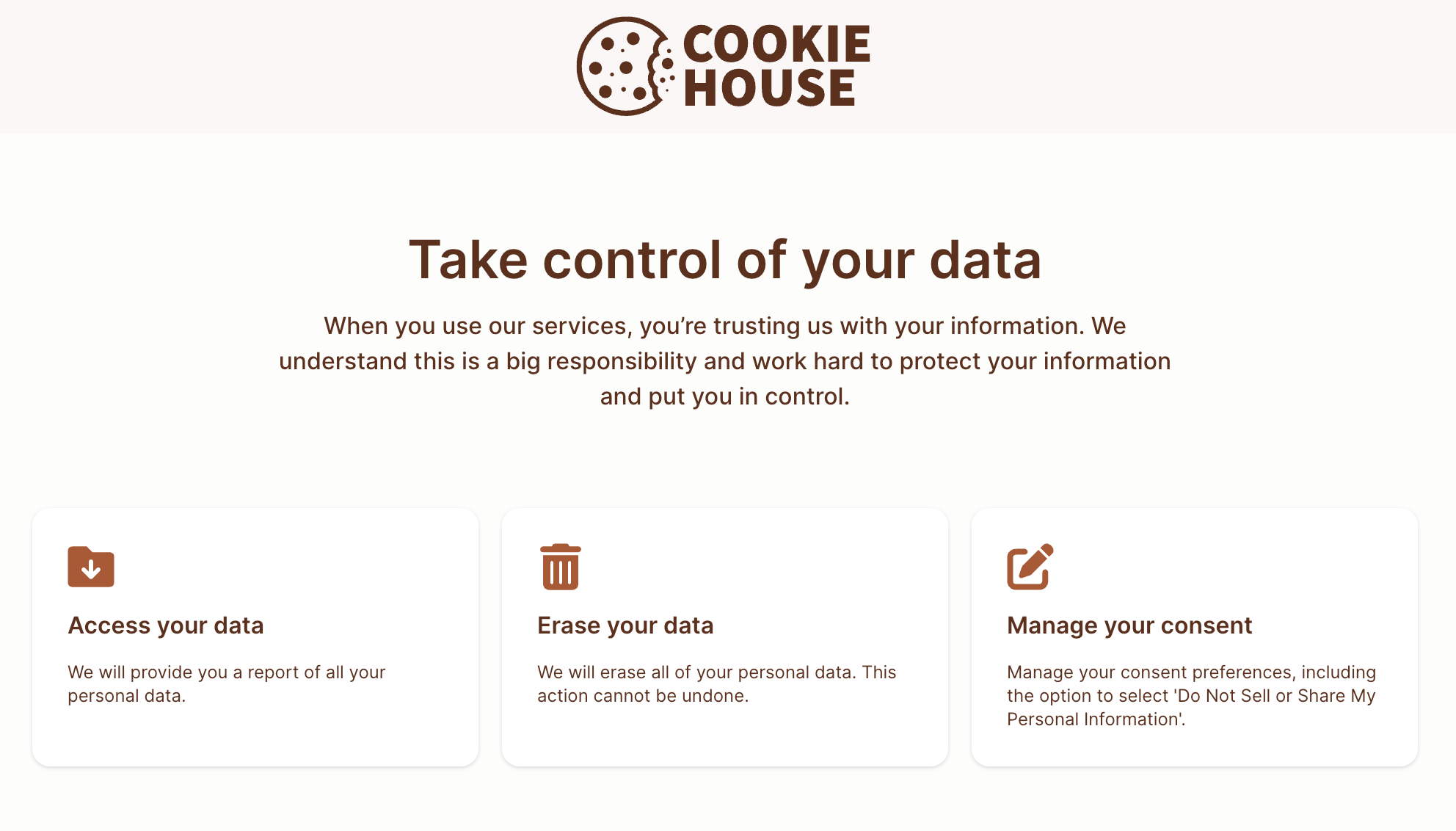
Here's an example showing the sample privacy center for the "Cookie House" demo project:
To submit a privacy request, the data subject must identify themselves using either their email address or phone number:
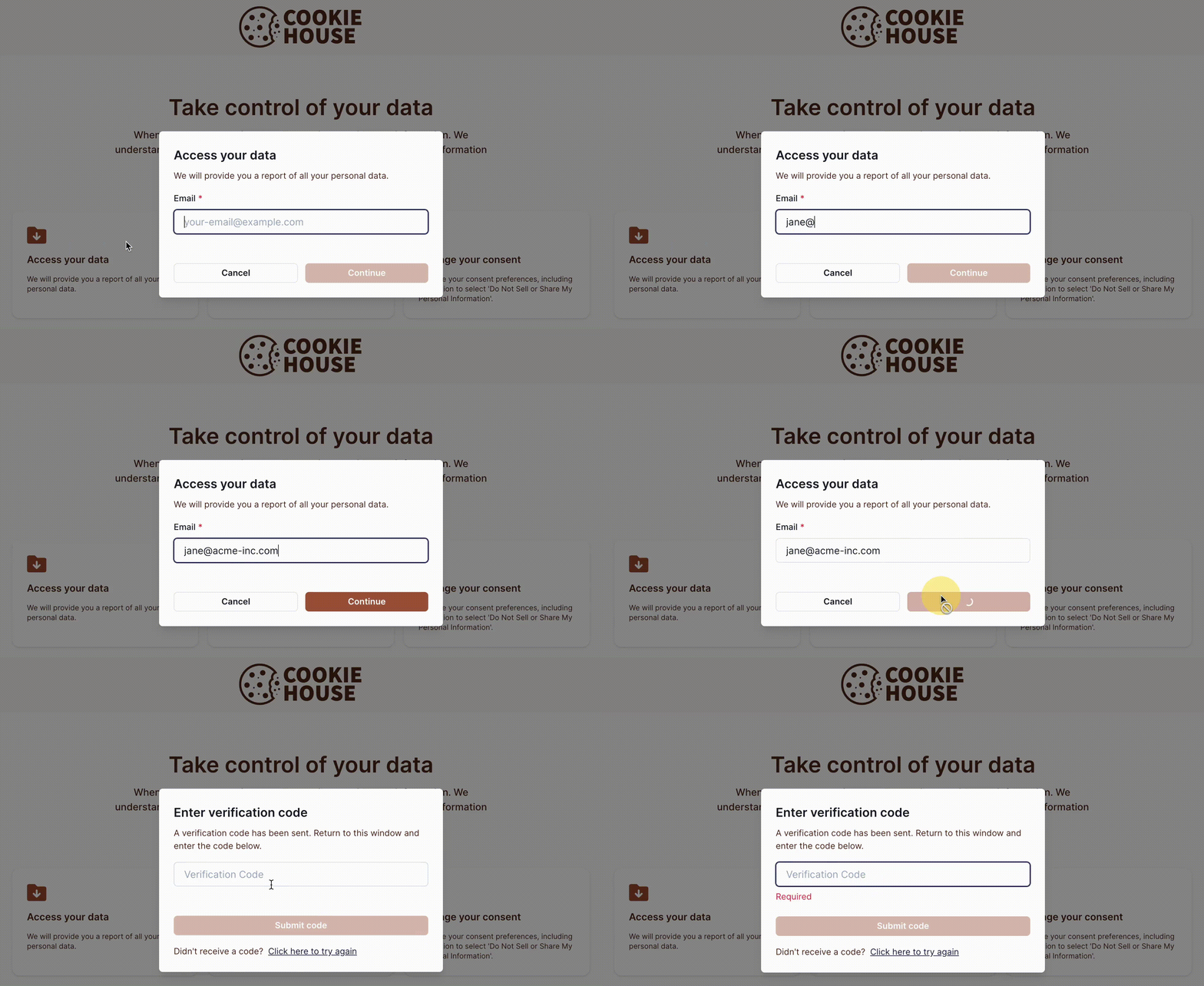
If Subject Identity Verification is enabled, the data subject will receive an authentication code that they can use to confirm their identity.
Below is an example of the email received for the "Cookie House" sample project:
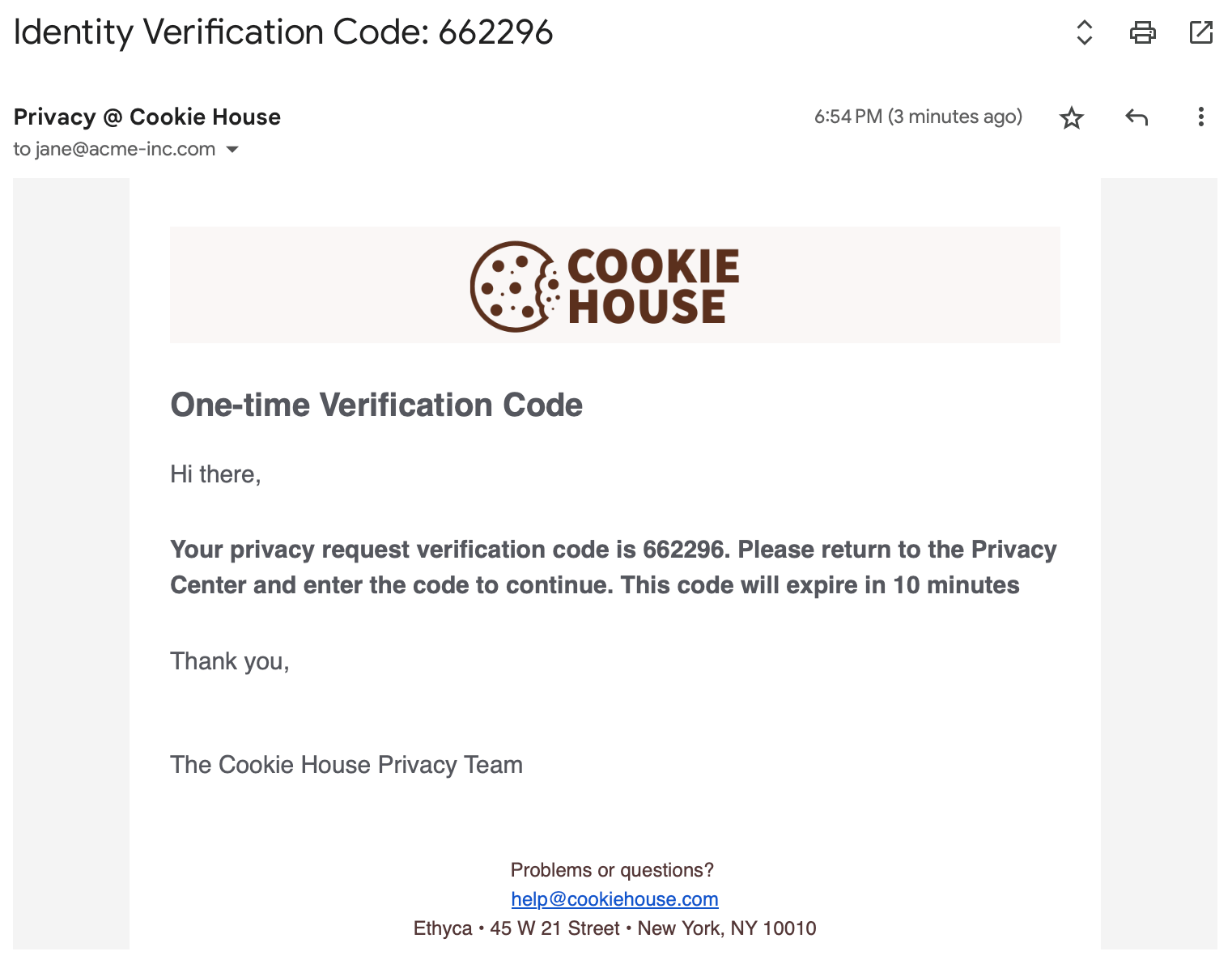
The subject provides the code when prompted on the privacy center to verify their identity:
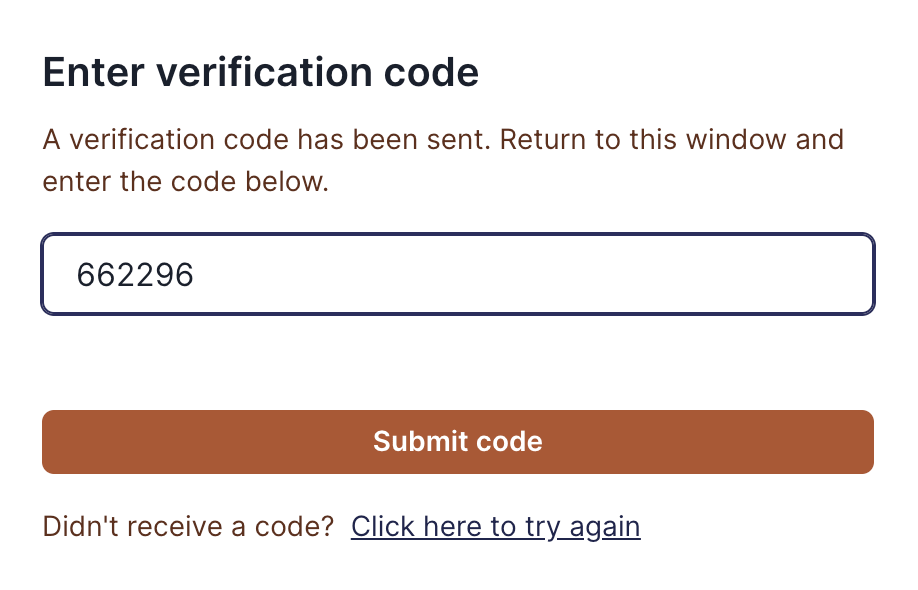
And, when confirmed, the privacy request is submitted for review and processing.
Customizing the Privacy Center
The Privacy Center's appearance is highly configurable:
The Admin UI
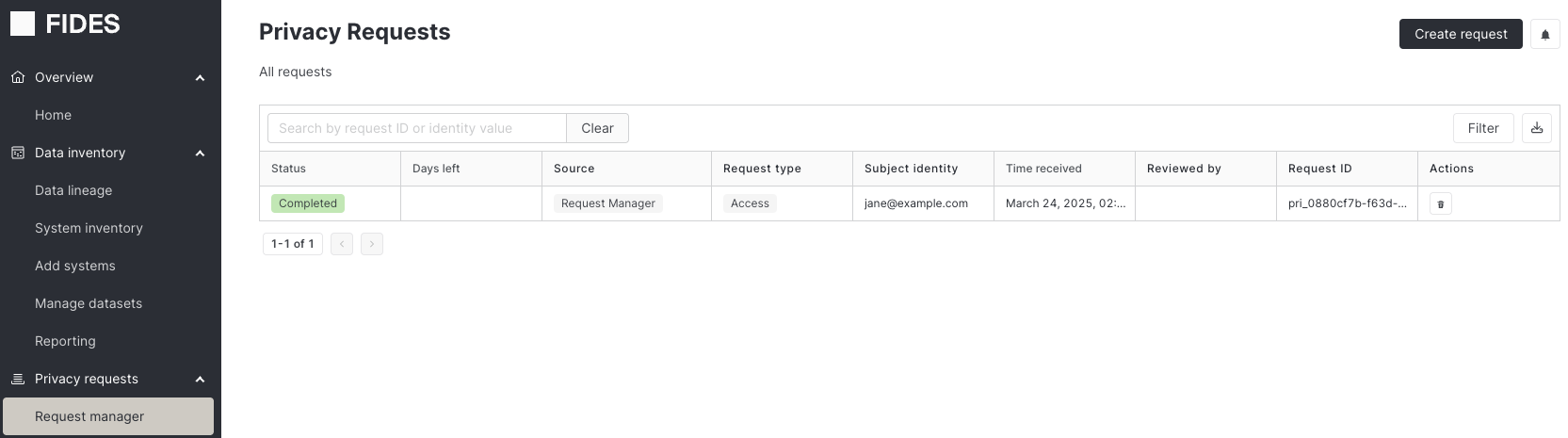
Enterprise users are also able to submit privacy requests on behalf of external users in the Request manager page of the Admin UI. This is useful if a privacy request is submitted outside of Fides, for example, via email or phone. These types of requests don't send out an email requesting identity verification. It is expected that the admin verifies the identities and information that are submitted.
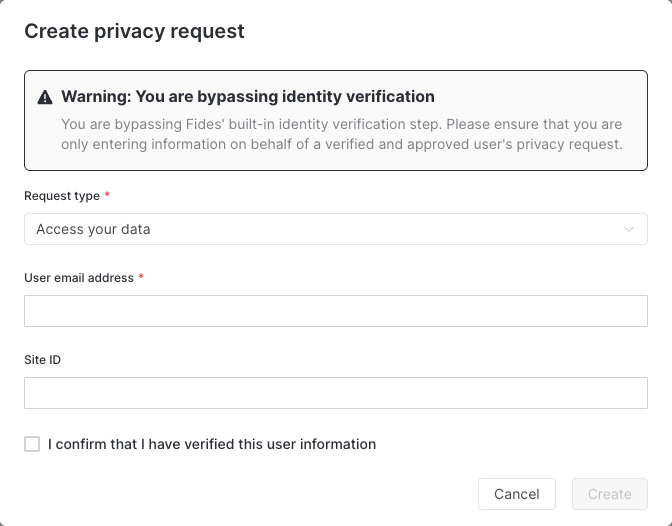
Instructions for how to configure this form can be found here.