Overview: Privacy requests
In this guide, we'll walk through what a privacy request is and how to get started receiving, managing and processing incoming privacy requests.
What are privacy requests?
Privacy requests, also known as Data Subject Requests (DSRs or DSARs), are requests from data subjects to access, modify, or delete any personal data that an organization may hold about them.
The workflow
Here is the flow for a typical privacy request:
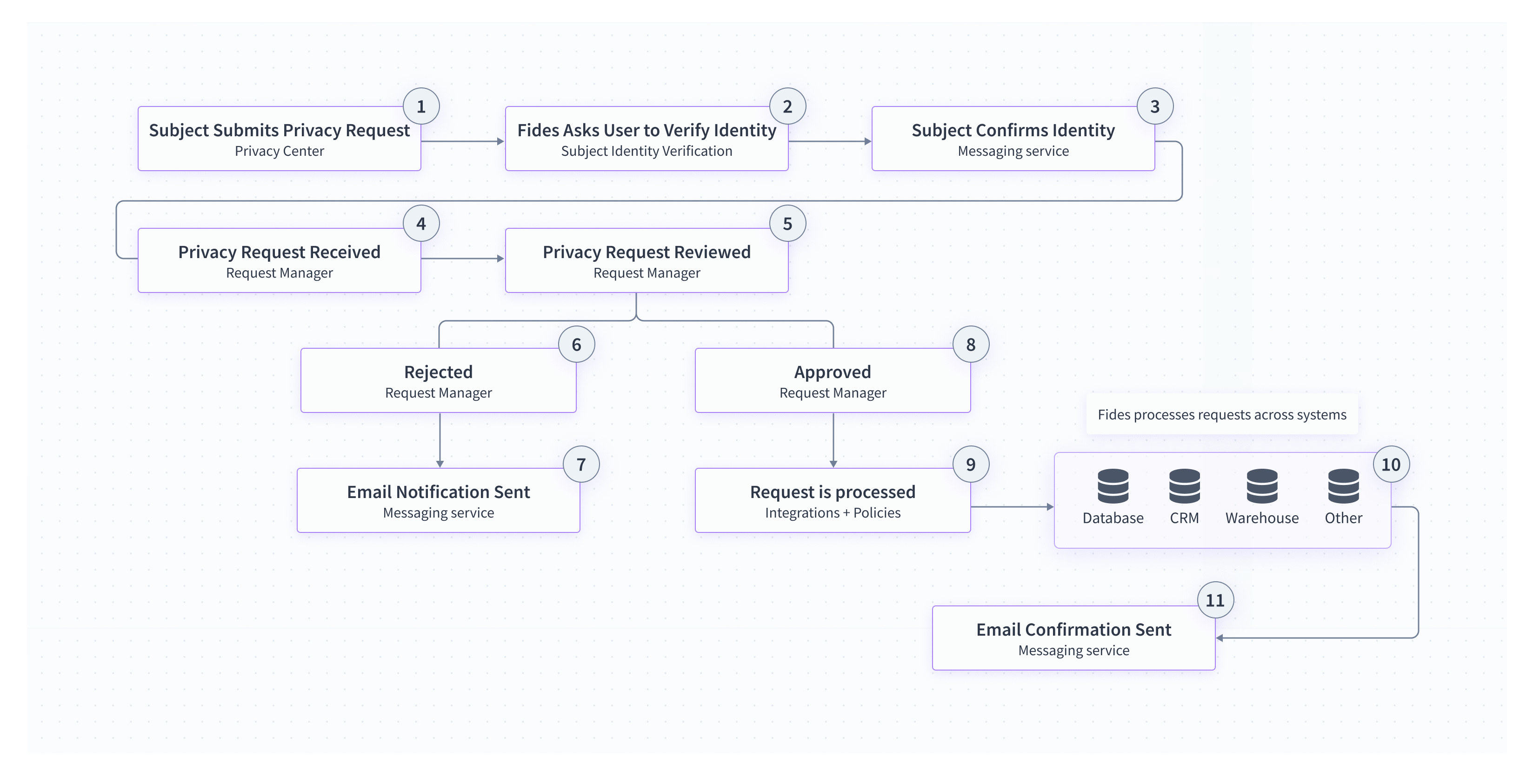
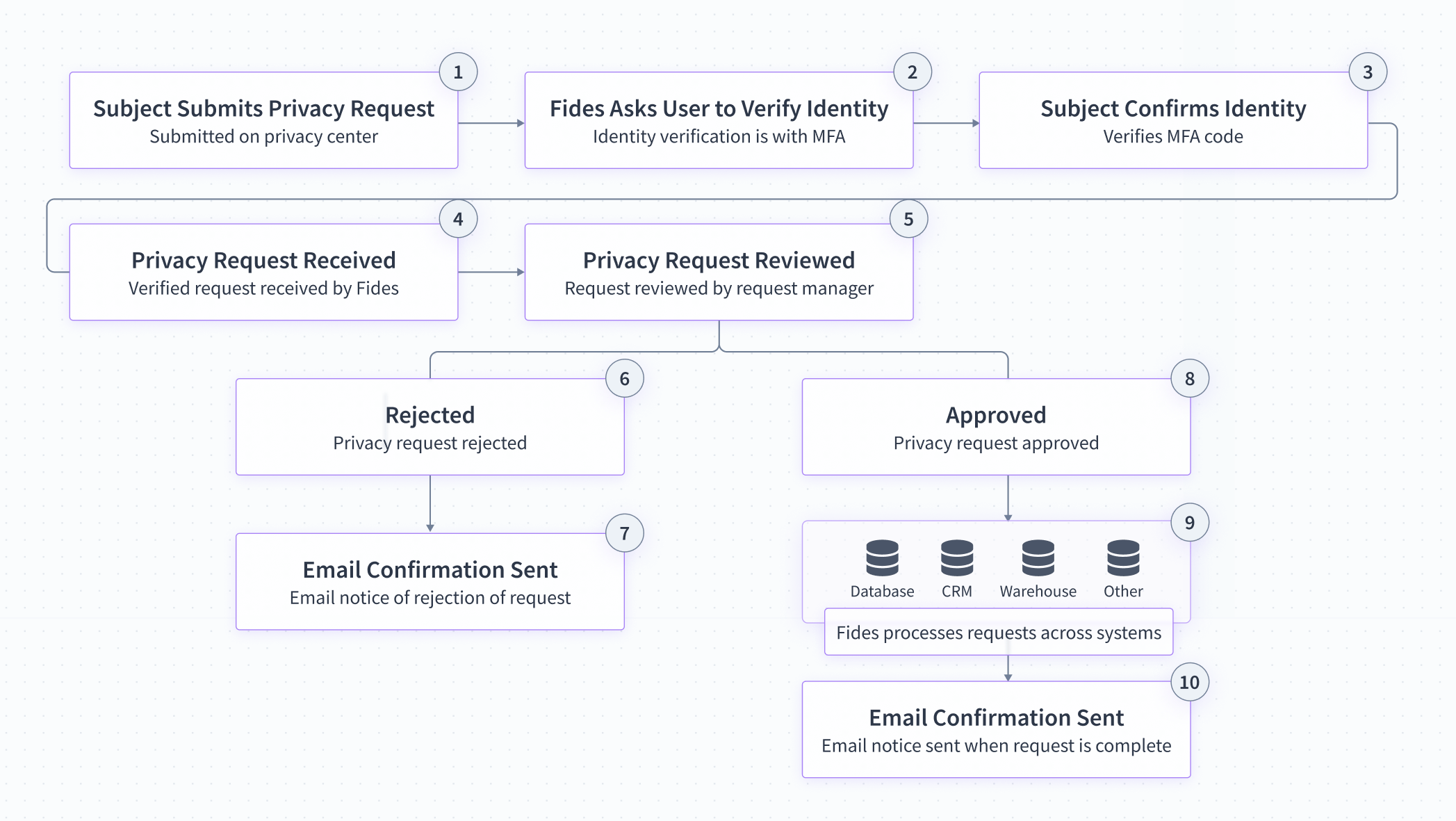
The steps in a typical privacy request are:
- Subject Submits Privacy Request: The user (subject) submits a privacy request through the privacy center.
- Identity Verification: Fides sends a code to the user's email address or phone number to verify their identity.
- Subject Confirms Identity: The subject confirms their identity using the code provided.
- Privacy Request Received: The privacy request is recorded on Fides with the subject's identity verification.
- Privacy Request Reviewed: Privacy requests are reviewed by an appointed request manager.
- Rejected: When a privacy request is rejected, Fides records the reason for rejecting the request.
- Email Confirmation Sent: An email confirming that the request has been rejected is sent to the subject.
- Approved: When a privacy request is approved, Fides commences processing the request.
- Fides Processes Request: Fides processes the privacy request programmatically across all integrated systems.
- Email Confirmation Sent: An email confirming the request has been completed is sent to the subject.
At the end of this guide, you should feel empowered to:
- Configure the privacy center so that verified data subjects can submit requests
- Review and automate privacy request processing
- Configure the integrations and policies that power privacy requests
Submitting & receiving requests
Data subjects have several rights when it comes to the protection and processing of their personal data including the right to file access and erasure requests. Businesses are required by law, in many regions, to provide an interface to their data subjects so that they can exercise their privacy rights. To learn how your consumers submit requests, please see our guide for Submitting privacy requests. To configure the Privacy Center, see our guide for configuring the Privacy Center.
Reviewing privacy requests
Once a privacy request has been received, your team will need to review the privacy request and make a determination for how to process it. To learn more about what choices are available and how to use our Privacy Request interface, please see our guide for Managing privacy requests.
Processing privacy requests
In order to ensure that the legal obligation has been fulfilled, a privacy request must be submitted to all databases or third party SaaS applications that process personal data. To learn how to configure Fides to submit these requests to your data stores, please see our guide for Processing privacy requests.
Communicating request status
While handling privacy requests, you'll often need to update consumers on the processing status of their request. For example, you might need to communicate that a request has been received or that there was an error. In order to tailor these messages for your brand and consumers, please see our guide for configuring privacy request emails.